
×
Knowledge Base
Knowledge Base General
History
Settings - HistoryThrough the Revision History, you can see all activities made within the Lost and Found Software.
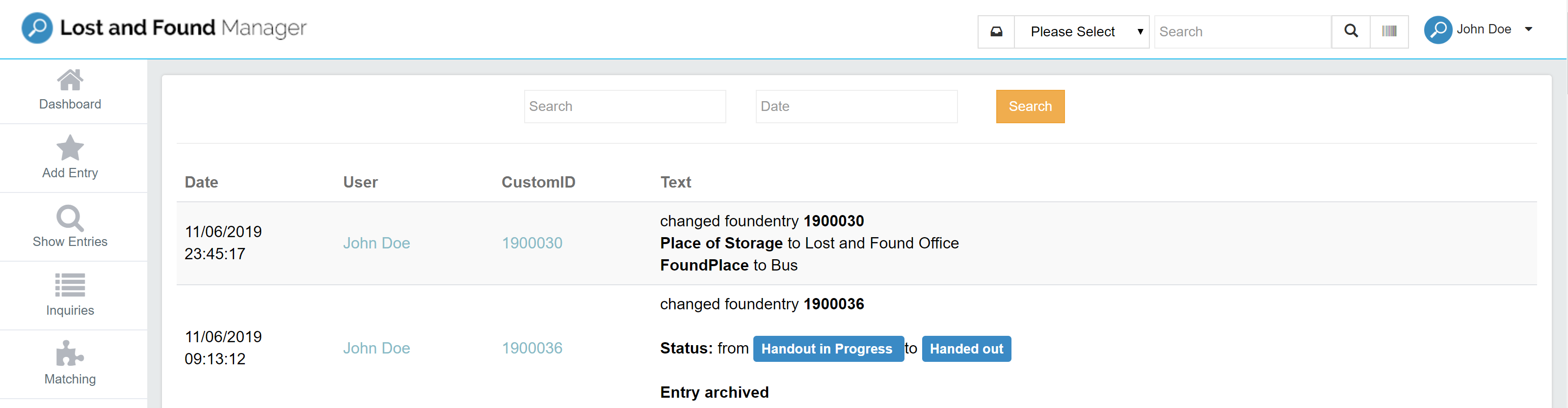
For example, you can search for:
» Found Item ID
» Inquiry ID
» has item deleted from matching
» has created lostentry
» has changed foundentry
» has changed inquiry
» has Handling Gateway Mail send to
» has entry matched to Inquiry
» has inquiry matched to Entry
» has entry manually matched to Inquiry
» has parcel shipped
» has parcel unpacked
» has entry deactivated manually / Reason:
» has entry activated manually / Reason:
Good to know
- Each found item also has its own History tab with all changes to that item.
- The system-wide Master History can show alerts for unusual activity, for example many archivings in a short time. Administrators should review these alerts regularly.
Was this answer helpful?
0 out of 0 found this helpful